

Slower passage01
Source120 WPM
Playback1.50x
Result180 WPM
A slower speaker is brought up toward your listening pace.
SPEEDSYNC / WPM PLAYBACK
Pick a listening pace in words per minute. SpeedSync estimates how quickly each captioned passage is spoken, then adjusts playback so slow and fast speakers move toward the pace you chose.
SpeedSync uses caption timing to estimate each passage. The examples below use a 180 WPM target.
A slower speaker is brought up toward your listening pace.
A faster speaker can slow down toward the same target.
Gaps use the multiplier you choose, then speech resumes at its calculated rate.
The target is approximate. Your speed limits and the quality of the available captions affect the result.
The popup shows the source WPM, current multiplier, target pace, caption source, and whether the current moment is speech or a caption gap.
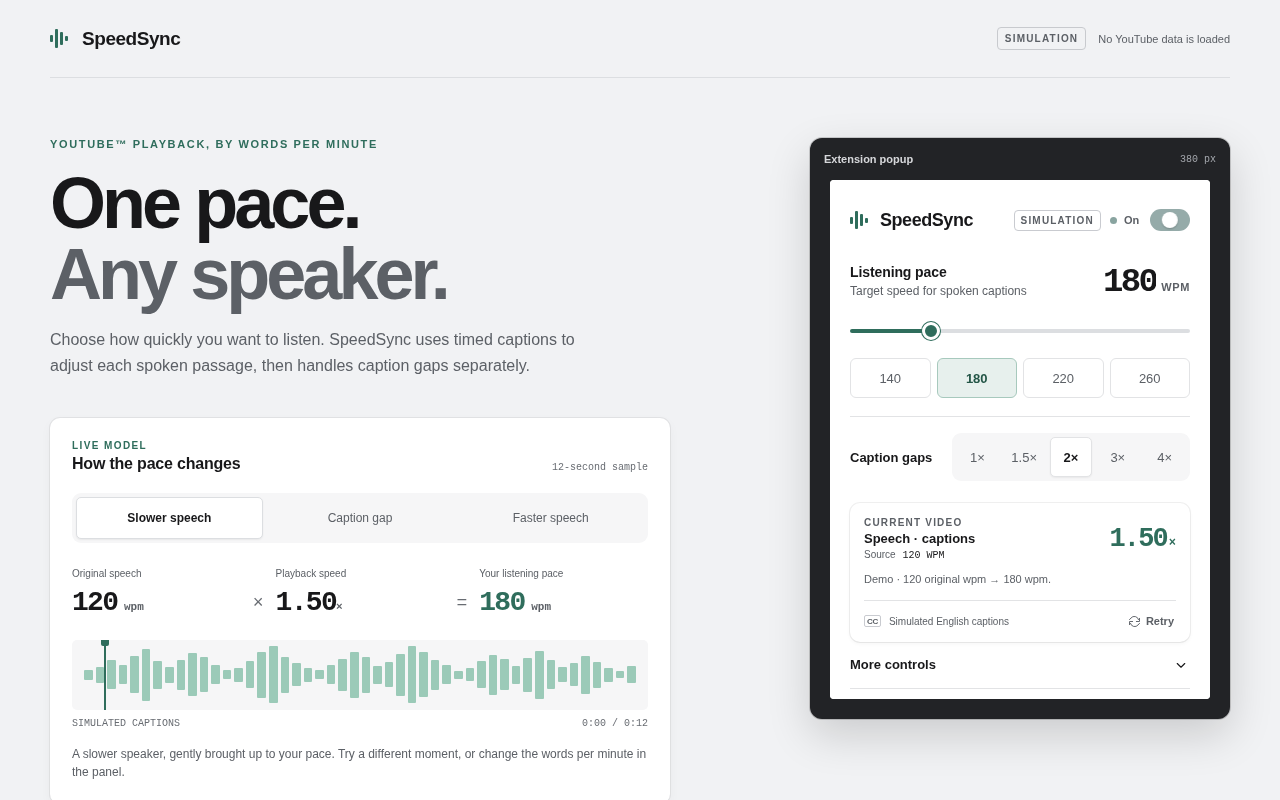
This built-in simulation uses the same popup and pacing engine as the extension. It does not load a private YouTube session.
SpeedSync starts off. Turn it on for a recorded video, choose a WPM target, and keep the limits where playback still feels useful.
Set one listening pace from 60 to 600 words per minute. SpeedSync recalculates the multiplier as the source pace changes.
Choose 1x, 1.5x, 2x, 3x, or 4x for parts of the timeline without timed caption words.
Set minimum and maximum speech speeds. Learning guard caps speech at 1.5x and preserves brief caption pauses.
SpeedSync reads timed captions. It does not listen to the video, use a microphone, or send playback data to Rekh.
There is no SpeedSync account, sign-in, subscription, or API key.
Caption responses and imported transcripts stay in the current page's memory and are cleared when the video or page changes.
Your WPM target, gap speed, limits, and Learning guard preference are stored in Chrome local extension storage.
No analytics, telemetry, advertising, remote configuration, microphone access, or audio capture.
Caption timing is an estimate of speech, not word-level audio alignment. Missing words, music lyrics, translations, dubbed audio, and incomplete captions can change the result.
Works with: recorded videos on youtube.com with original-language timed captions, plus matching VTT, SRT, JSON, or JSON3 imports.
Outside this release: live videos, Shorts, mobile YouTube, embedded players, and plain-text transcripts without timestamps.
06 / RELEASECHROME 111+
The listing is being prepared under Rekh. The install link will appear here after Google assigns and approves the Store item.
Read support notes